


TunnelBear VPN
3.518.01K Reviews
App Specs
- Version
- 5.0.7
- Updated On
- License
- Free
- Downloads
- 10,000,000+
- Developer
- TunnelBear, LLC
- Categories
- Tools
- Platform
- Android, iOS
Screenshots



 Analysis by AppCompare
When your connection suddenly matters—opening a work page on public Wi-Fi, checking a bank account while away from home, or trying to reach a familiar service on a trip—a VPN can feel less like a technical extra and more like a practical switch. I find TunnelBear VPN most appealing when I want that switch to be easy to understand. It is a free tools app from TunnelBear, LLC, with optional in-app purchases, and its approachable style makes the basic idea of protecting a mobile connection less intimidating.
When a VPN changes the moment
A VPN is useful only while your device can reach it, so I think about TunnelBear in terms of the situations where I would actually open it. On a café network, for example, I might connect before signing in to an account or sending a document. That extra step does not make every online risk disappear, but it can help protect traffic between my phone and the VPN connection. I still use the normal caution I would on any shared network: I check the site or app I am using and avoid treating a VPN as a substitute for good account security.
The same practical approach applies when browsing from a hotel, airport, or other unfamiliar place. I would connect before opening sensitive services, then leave the app alone unless the connection becomes unreliable or I need to change location. The point is not to keep tapping through settings; it is to make a safer connection part of a routine. TunnelBear’s simple presentation suits that habit better than a client that puts a long list of technical controls in front of a new user.
Location changes can also be useful while travelling, but I would not assume that choosing a country guarantees access to every particular website or streaming catalogue. Services can detect and restrict VPN traffic, and a longer route can affect responsiveness. I see location selection as a tool for changing the apparent region of a connection, not as a promise that every blocked page will work. If a service is essential, I would test it before relying on it during a trip.
Using it on a phone, not just at home
On mobile, the important question is whether a VPN fits into ordinary movement between networks. I would turn it on before joining public Wi-Fi rather than waiting until after I have started browsing. That small order-of-operations habit is useful because it avoids making the protection an afterthought. If I move between Wi-Fi and mobile data, I would also take a moment to check whether the VPN connection is still active before doing anything sensitive.
For a commuter, that might mean checking a message on station Wi-Fi, then continuing on cellular data without assuming the connection behaves exactly the same way. For someone working remotely, it could mean opening a shared document from a hotel lobby and switching networks later. These are mundane moments, but they are where a mobile VPN earns its place. TunnelBear’s low-friction setup helps; the trade-off is that users who want detailed control over every aspect of their connection may find a simple interface limiting.
The app is suitable for a broad audience: it has an Everyone content rating, and its ease of use makes it approachable for people who have never configured a VPN. That does not mean every household member should treat it as a complete online-safety solution. A VPN does not replace careful handling of passwords, device updates, or suspicious links. I would explain that distinction to a less technical family member before presenting the app as a one-tap answer to privacy concerns.
Worth Reading Before You Choose

EA SPORTS FC Mobile 26 Is a Bigger Football Game, but It Takes Time

Flipboard Shows What News Apps Must Do Beyond the Feed

Switching to Android Auto Means Rethinking Your Driving Routine

Google Calendar Makes a Crowded Week Easier to Manage

Ludo King Makes the Most of the Minutes Between Plans

Baby Panda World Brings Quick Play to Modern Phones, but Its Game Library Feels Busy
What to do when the connection falters
A VPN adds another connection in the path between a phone and an online service, so a slow or unstable experience can have more than one cause. The Wi-Fi itself may be weak, the selected route may be distant, or the service being opened may be having trouble. I would first check whether ordinary browsing works with the VPN disconnected, then reconnect and try a nearby location if the app offers one. This simple comparison helps distinguish a local network problem from a route that is not working well for the task.
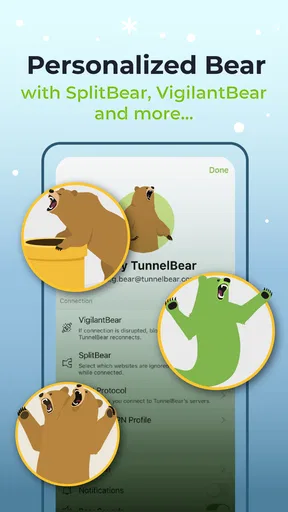
There is also a useful trade-off in TunnelBear’s VigilantBear feature, which is described as pausing unsecured traffic if the VPN connection drops. That kind of protection can reduce the chance of traffic slipping out unprotected, but it can also make the internet appear to stop working until the secure connection returns. If a page suddenly refuses to load, I would check the VPN state before repeatedly refreshing or changing unrelated phone settings. For an urgent task, I would decide whether to wait for a secure connection or use another trusted network, rather than casually disabling protection and forgetting to turn it back on.
GhostBear is aimed at making encrypted traffic less detectable, which can be relevant on networks that restrict VPN use. I would treat it as a possible troubleshooting option, not a guarantee that every restrictive network will allow a connection. Extra obfuscation can be a trade-off: when a network is already unstable, adding another layer may not be the fastest path to getting a page open. Trying the ordinary connection first and changing modes only when there is a clear reason is a calmer workflow than toggling settings at random.
Keeping an eye on data and expectations
Because a VPN routes internet traffic through an additional service, I would keep mobile data use in mind, especially when travelling or on a limited plan. A VPN is not a way to make video or large downloads consume less data; the content still has to reach the phone. If I am trying to conserve a monthly allowance, I would handle streaming quality and background downloads in the apps that use the data, and reserve VPN use for the situations where the added privacy or location change is worth it.
TunnelBear is free to download, while in-app purchases range from $0.99 to $83.27 per item. I would look at the current plan details inside the app before deciding what suits me, rather than assuming that every use pattern is covered by the free experience. Someone who only wants occasional protection on public Wi-Fi may approach it differently from a person who expects to keep a VPN active throughout the day. The right choice depends on how often you use it and what limits you encounter in practice.
There is a clear contrast between TunnelBear and more technical VPN apps. Some alternatives put extensive server controls and connection options front and centre, which may suit users who already know what they want to configure. TunnelBear’s bear-themed interface and straightforward connection flow make it friendlier for casual use, but experienced users may prefer a service whose controls, locations, or plan structure better match a specific need. I would choose based on the tasks I actually do, not on the assumption that the app with the most settings is automatically better.
It has been available since October 3, 2012, and its current version is 4.9.2, with a minimum OS requirement of 8.0. Its average rating is 3.7 from around 323,000 ratings, and it has over 10 million installs. Those figures suggest that it is a familiar choice for many mobile users, though popularity alone cannot tell me whether its connection quality or purchase options will suit an individual. I would check that my device meets the requirement and try the app with the networks and services I use most.
My practical recommendation is to test TunnelBear in a low-stakes setting first: connect on a home network, learn where the connection status appears, and then try it on a public network before using it for anything time-sensitive. That gives you a chance to notice how location changes and connection interruptions affect your own browsing. If you need advanced configuration, consistently high performance for a particular service, or a VPN with a very specific plan arrangement, compare other options before committing. If you mainly want a simple mobile VPN for occasional everyday use, TunnelBear is easier to approach than many technical alternatives.
Bear Necessities: What TunnelBear VPN Offers
First things first, let’s talk about what TunnelBear VPN is packing under the hood. It’s available on both Android and iOS, which is perfect for those of us juggling multiple devices. The app promises to encrypt your internet connection, making it harder for hackers, advertisers, or even your ISP to snoop on what you’re up to online.
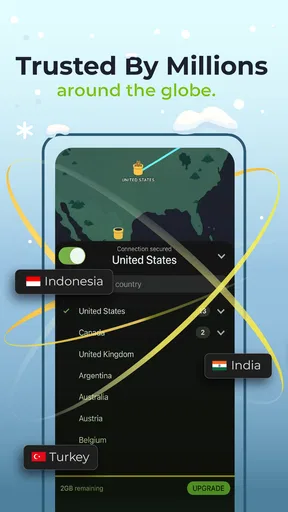
One thing I absolutely love about TunnelBear is its simplicity. You don’t need to be a tech wizard to get it up and running. The interface is as straightforward as it gets—just open the app, flip the switch, and voilà! You’re connected to a secure server. Plus, it’s got this adorable bear theme, complete with animations that make it feel like you’ve got a digital buddy on your side.
Features That’ll Make You Roar
Now, let’s dig into the features that make TunnelBear stand out. For starters, it boasts a "GhostBear" mode, which is like stealth mode for your connection. This feature makes your encrypted data less detectable to governments, businesses, and ISPs, which is handy if you’re in a place with strict internet restrictions.
Another neat feature is the "VigilantBear" mode. Think of it as a digital bodyguard that kicks in if your connection drops. It pauses unsecured traffic until you’re safely reconnected to a server, ensuring no data slips through the cracks.
Oh, and if you’re a fan of streaming, TunnelBear’s got you covered. It can help you bypass those pesky geo-restrictions that keep you from watching your favorite shows while traveling. Just connect to a server in the country you need, and you’re good to go!
Performance: Is It Fast Enough?
Alright, let’s address the big question on everyone’s mind: how’s the speed? In my experience, TunnelBear delivers a pretty solid performance. While no VPN can promise zero speed loss, I found TunnelBear to be relatively zippy, especially on nearby servers. Sure, long-distance connections might slow things down a bit, but that’s par for the course with any VPN.
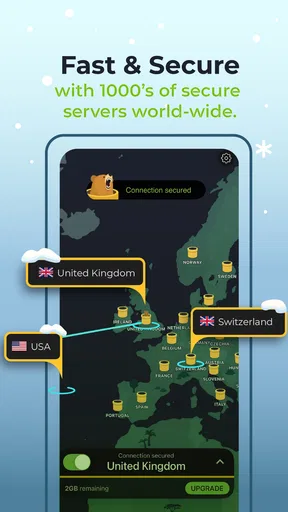
What’s more, TunnelBear offers servers in over 20 countries, which means you have plenty of options to choose from. Whether you’re trying to access content from the UK or secure your connection while sipping coffee in a Parisian café, TunnelBear’s got your back.
Privacy and Security: Can You Trust This Bear?
When it comes to privacy, TunnelBear takes things seriously. They have a strict no-logs policy, meaning they don’t track or store your activity. This is a big win for anyone concerned about their privacy online. Plus, they regularly undergo independent security audits, which is a testament to their commitment to keeping users safe.
Encryption is top-notch too, with AES-256 bit encryption securing your data. It’s like having a digital vault around your online activity. So, whether you’re shopping online or just browsing funny cat videos, you can do so with peace of mind.
Bear-y Good or Bear-y Bad?
So, is TunnelBear worth a download? If you’re looking for a user-friendly, reliable VPN with a touch of whimsy, I’d say absolutely. It’s perfect for beginners and offers enough features to satisfy more experienced users too. Sure, it might not have the vast server network of some competitors, but what it lacks in size, it makes up for in charm and ease of use.
For anyone concerned about online privacy, or just wanting to explore the internet without borders, TunnelBear is a solid choice. It’s like having a cute, cuddly guardian watching over your digital world. And hey, who wouldn’t want a bear on their side?
Ready to give it a whirl? You can find TunnelBear VPN on both the Google Play Store and Apple’s App Store. Happy browsing, and remember, stay safe out there!
Pros
- User-friendly interface for easy navigation.
- Strong encryption for secure browsing.
- Free version available with limited data.
- No-logs policy ensures privacy.
- Multiple device support with one account.
Cons
- Limited server locations compared to competitors.
- Free plan has a 500MB monthly cap.
- No split tunneling feature available.
- Speeds may vary with server distance.
- Not ideal for streaming geo-blocked content.
FAQs for TunnelBear VPN
What is TunnelBear VPN and how does it work?
TunnelBear VPN is a privacy-focused app that provides a secure and encrypted connection to the internet. It works by routing your internet traffic through its servers, masking your IP address, and encrypting your data to protect your online activity from hackers, ISPs, and other prying eyes. This ensures a more private and secure browsing experience.
Is TunnelBear VPN free to use?
TunnelBear offers a free version with a monthly data limit of 500MB, suitable for light browsing and testing the service. For users requiring more data, TunnelBear provides paid subscription plans that offer unlimited data and additional features. The free version is a great way to try out the service before committing to a subscription.
On which devices can I use TunnelBear VPN?
TunnelBear VPN is compatible with a wide range of devices, including Android and iOS smartphones and tablets, as well as Windows and macOS computers. The app is designed to be user-friendly across all platforms, ensuring that users can easily set up and use the VPN on multiple devices simultaneously, depending on their subscription plan.
How secure is TunnelBear VPN?
TunnelBear VPN employs strong encryption standards, such as AES 256-bit encryption, to ensure that your data remains private and secure. It also features a no-logs policy, meaning it does not store any information about your browsing activity. Additional security features include a kill switch and VigilantBear, which protects your data if the connection is disrupted.
Does TunnelBear VPN affect internet speed?
Using a VPN like TunnelBear may result in a slight reduction in internet speed due to the encryption process and the rerouting of your data through its servers. However, TunnelBear is optimized to minimize speed loss, and many users find the trade-off for increased security and privacy to be worthwhile. Speed can vary based on server location and internet connection quality.


